Cricbet99 Login — Every Step, Every Fix
First paragraph, straight answer: open the login link from your WhatsApp chat, enter your username and password exactly as sent, and change the temporary password on first login. Everything below covers the details and the failures.
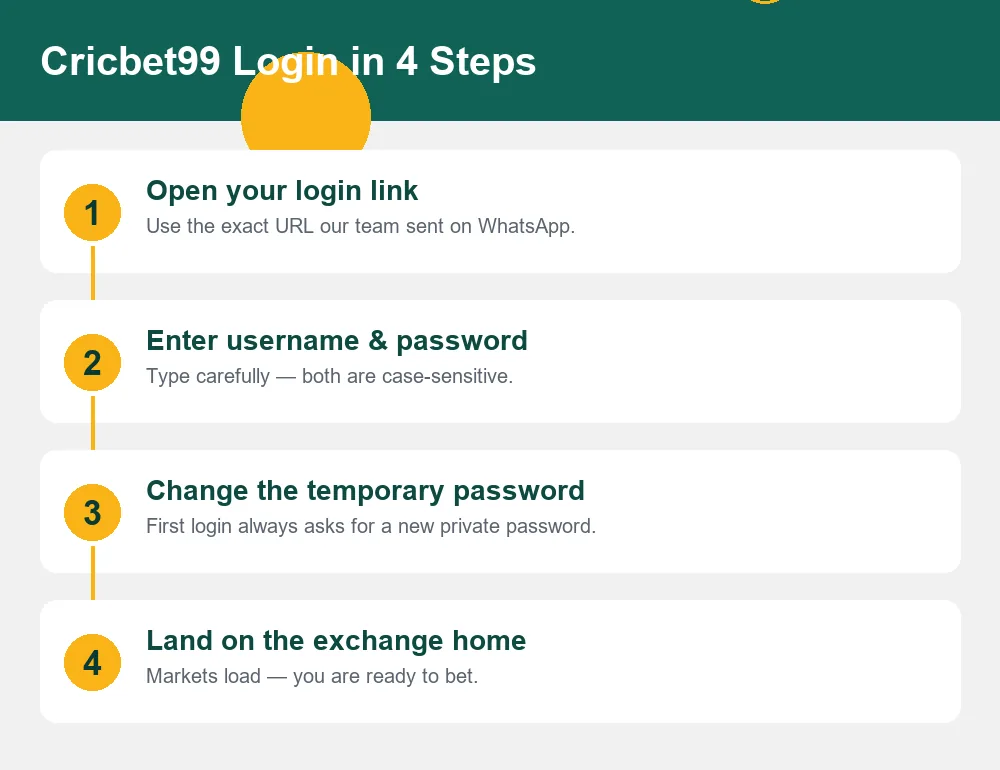
Cricbet99 Win Login in 4 Steps
Open your official login link
Use the exact URL from your WhatsApp chat — not a search result. Search ads and clone sites imitate Cricbet99 login pages.
Enter username & password
Both are case-sensitive. Copy-paste from the chat on first login to avoid typos.
Set your new private password
The panel forces a password change on first login. Choose something only you know — our agents will never ask for it.
You're in
The exchange home loads with live markets. New to the layout? See how the odds ladder works.
Login Problems & Fast Fixes
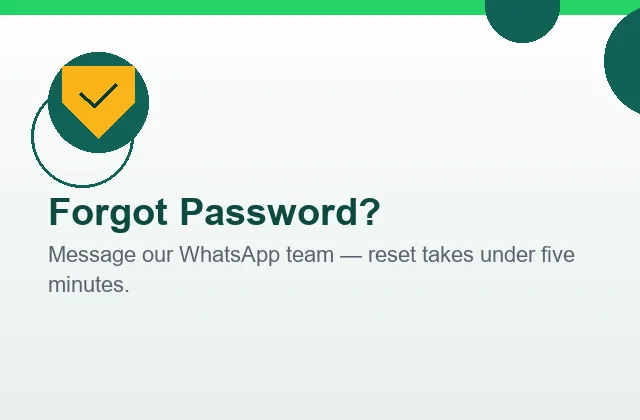
Wrong password / locked out
Three wrong attempts can lock the ID temporarily. Stop guessing — message the team, verify you own the ID, and get a reset in under five minutes.
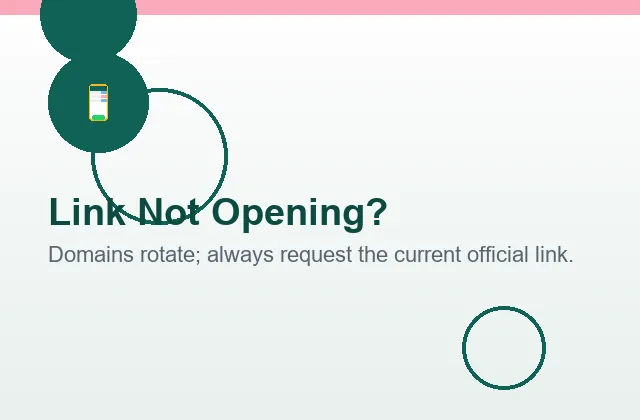
Link says "site can't be reached"
The domain likely rotated. Your balance is safe. Ask for the current link and update your bookmark.
OTP or "new device" prompt
Some panels flag new devices. Complete the prompt, or ping us and we'll clear it from the panel side.
Balance looks wrong after login
Don't place bets. Screenshot what you see and send it to the chat — settlement queries are resolved against the bet log.
Stay Safe: Spot Fake Login Pages
Because "cricbet99 login" is heavily searched, clone sites imitate the panel to steal credentials. Protect yourself with three habits:
- Only use the link from our chat. Never login through search ads or Telegram forwards.
- Check the address before typing your password — clones use lookalike domains with extra words.
- No agent ever needs your password. Anyone asking for it is not us — see our official channels.
Full anti-phishing detail lives in the extended login guide.
Inside the Login Screen — Field by Field
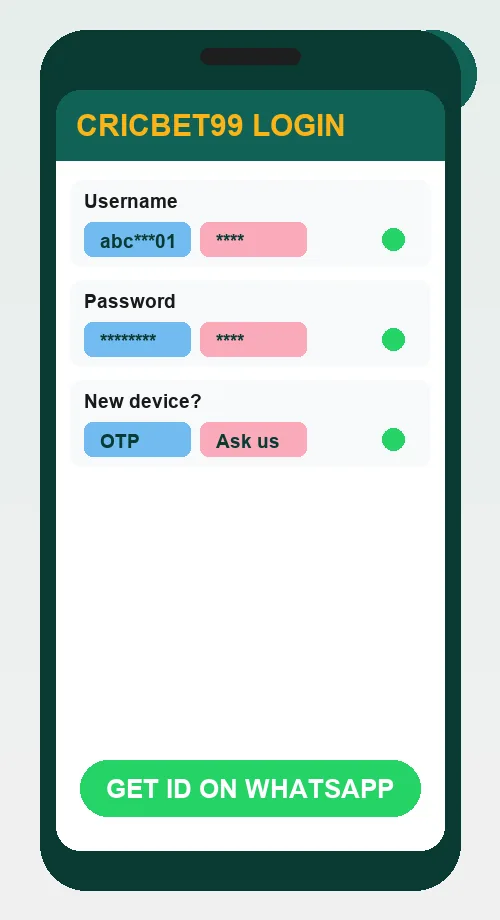
The screen beside this text is what every Cricbet99 login looks like, whichever domain variant your ID lives on. Understanding its three fields prevents ninety percent of first-login failures, so here is each one the way we explain it in chat.
Username. Assigned at creation and permanent — you cannot change it, and you never need to. It is usually a short code with digits, and it is case-sensitive: Abc01 and abc01 are different strings to the panel. On a first login, copy-paste it straight from the chat message rather than typing; the single most common "invalid credentials" cause we see is a capital letter typed as lowercase on a phone keyboard that auto-capitalised the first character.
Password. Temporary on delivery, personal after your first change. The panel forces the change immediately — a security feature, not an inconvenience — and from that moment nobody but you knows it. Not our agents, not the platform's support, nobody. That is precisely why anyone asking for it is by definition an impostor, a rule worth internalising before you ever need it.
The "new device" prompt. Some panel versions flag logins from unfamiliar phones or browsers with an extra verification step. It is normal after a phone change, a browser reinstall or a long absence. Complete it if it appears; if it loops or confuses, one message to the chat clears it from the panel side in minutes.
After a successful login you land on the exchange home with live markets. Two habits for that first minute: check your balance matches what you expect (deposit plus bonus on a new ID, last session's closing balance on an old one), and if anything looks off, stop and screenshot before placing any bet — the bet log makes every question answerable, but a screenshot makes it answerable faster.
The Login Variants, Decoded
win, club, green, red — what all those domains actually mean.
Search data shows Indian players hunting for "cricbet99 win login", "cricbet99.club login", "cricbet99 green login", "cricbet99 red login" and a dozen more variants — and the confusion is understandable, because the panel family really has operated across many domains over the years. Here is the honest technical picture.
Exchange panels rotate and parallel-run domains for infrastructure reasons: load distribution, regional access, and replacing addresses that age out. The variants are not different products, different companies or different "servers" in any way that affects you — they are doors into the same building. Your username, password and balance live on the panel itself, not on any particular domain, which is why your credentials keep working when the address changes.
What this means practically: the only login URL that matters is the one your provider most recently confirmed. Chasing variants through Google is not just pointless, it is the single most dangerous habit in this ecosystem, because clone sites buy ads and register lookalike domains precisely to catch variant-hunters. The clone shows you a perfect copy of the login screen, you type your credentials, and they now belong to someone else.
The three-habit defence, which costs nothing: bookmark the link from your chat the day you receive it; when a bookmark ever fails, ask the chat for the current link instead of searching; and before typing a password anywhere, glance at the address bar — clones use extra words, hyphens and odd endings that a two-second look catches. Our extended login guide covers the full anti-phishing playbook, including what to do in the first five minutes if you suspect you have already been caught.
One more variant question we hear weekly: "is cricbet99.com login different from cricbet99.win login?" Same answer — whichever variant your ID was issued on, your credentials work on the current official domain for your panel. If a friend's link looks different from yours, that is expected, not suspicious; you may simply be on different panels of the same family. When in doubt, the chat settles it in one message.
Quick Troubleshooting Reference
Every login symptom we see in support, with its cause and its fix — bookmark this table.
| Symptom | Most likely cause | Fix |
|---|---|---|
| "Invalid credentials" on first login | Auto-capitalised letter or pasted space | Clear fields, paste username fresh, type password slowly |
| "Invalid credentials" after weeks of working | Password changed on another device, or lock after failed tries | Stop guessing at attempt three; request a reset in chat |
| Link won't open at all | Domain rotated | Ask chat for the current link; update your bookmark |
| Page opens but looks unfamiliar | Panel UI update — or a clone site | Check the address bar against your chat link before typing anything |
| Login loops back to the login screen | Stale browser cache after a panel update | Clear the site's cookies or open an incognito window, then log in |
| "New device" verification keeps repeating | Panel-side flag stuck | One message to chat clears it from the panel side |
| Balance looks wrong after login | Unsettled market or pending bonus turnover | Don't bet; screenshot and send to chat — resolved against the bet log |
Account Security Beyond the Password
A strong password is the start, not the whole job. These five practices are what we recommend to every player, in the order they matter.
1. Keep the login session personal. On your own phone, staying signed in is fine and convenient. On any device you share — a family tablet, a friend's phone during a match, a shop computer — log out when done, and decline the browser's offer to save the password. A saved session on someone else's device is an open door with your balance behind it.
2. Treat the chat as your second factor. Every meaningful account event — resets, freezes, payout confirmations — flows through your WhatsApp thread, which means your WhatsApp account is part of your security perimeter. Enable WhatsApp's own two-step verification (Settings → Account → Two-step verification) and your entire betting setup inherits that protection.
3. Reset on suspicion, not on certainty. A password reset costs five minutes; investigating whether that odd SMS was really phishing costs an evening, and a drained balance costs far more. If anything ever felt off — a strange link clicked, an APK installed, an unexpected "login attempt" message — reset first and investigate second.
4. Know the freeze command. "Freeze my ID" in the chat halts everything instantly: no logins, no bets, no withdrawals until you unfreeze. It exists for lost phones, suspected compromise, and honestly, for any night you would rather remove the temptation entirely — it is also a core responsible gambling tool.
5. Verify the channel, always. Every impersonation scam we have ever seen required the player to trust an unofficial contact. The verification rules are short and absolute — see the official channel guide and the channel list — and they defeat the entire scam category at once.
Cricbet99 Login FAQs
How do I login to Cricbet99 the first time?
Open the exact login link our team sent you on WhatsApp, enter the username and password from the same chat, and set a new private password when prompted. Both fields are case-sensitive — type them exactly as sent.
I forgot my Cricbet99 password. What now?
Message our WhatsApp team from the number registered with your ID. After a quick verification the password is reset — the whole process normally takes under five minutes.
Why does my cricbet99 win login link not open?
Exchange panels rotate domains from time to time (win, club, green, red and other variants). Your ID and balance are unaffected — just ask on WhatsApp for the current official link and bookmark it.
Is there a separate cricbet99.com login and cricbet99.win login?
They are domain variants of the same panel family. Whichever variant you were given, your username and password work on the current official domain for your ID. Never guess domains from search results — ask us.
Can I login on more than one device?
Yes, but avoid staying signed in on shared phones. Log out after playing on any device that is not yours, and never save the password in a shared browser.
Cricbet99 लॉगिन कैसे करें?
WhatsApp par mila hua link kholein, username aur password enter karein, aur pehli baar login par naya password set karein. Koi dikkat ho to hamari team ko message karein — Hindi mein poora support milta hai.
Why does the panel say "invalid credentials" when my details are right?
Almost always case-sensitivity: a phone keyboard auto-capitalised the first letter, or a space rode along with a copy-paste. Clear both fields, paste the username fresh from the chat, type the password slowly, and check no trailing space snuck in. Three failed attempts can trigger a temporary lock — stop and message us rather than guessing a fourth time.
Can I change my Cricbet99 username?
No — usernames are permanent identifiers on the panel and cannot be edited. Passwords are yours to change any time from the account menu, and we recommend changing immediately after first login and after any suspicious contact.
Is it safe to save my password in Chrome?
On a personal phone with a screen lock, a browser password manager is reasonable and beats reusing a weak password. On shared or family devices, never. And regardless of where it is saved, the rule stands: no agent, no support person, nobody legitimate will ever ask you to read it out.
What happens to my open bets if I get logged out mid-match?
Nothing — bets live on the panel, not in your browser session. Matched bets stay matched and settle normally whether you are logged in or not. Log back in and your positions and balance are exactly where you left them.
The login page loads but looks slightly different today. Should I worry?
Panels do update their interfaces, so cosmetic changes after an update are normal. What should stop you cold: a changed address you did not expect, a request for extra personal details at login, or any request for an OTP or payment at the login stage. When any of those appear, close the page and verify the current link in the chat before proceeding.

Locked Out? Don't Fight It Alone
Password resets, fresh links, device issues — one WhatsApp message solves all of them.
Fix My Login on WhatsApp